
Rental software that keeps up on a Saturday.
Customers book online. You prep the bikes the day before, hand them over in a minute flat, and know what’s still out at four o’clock.
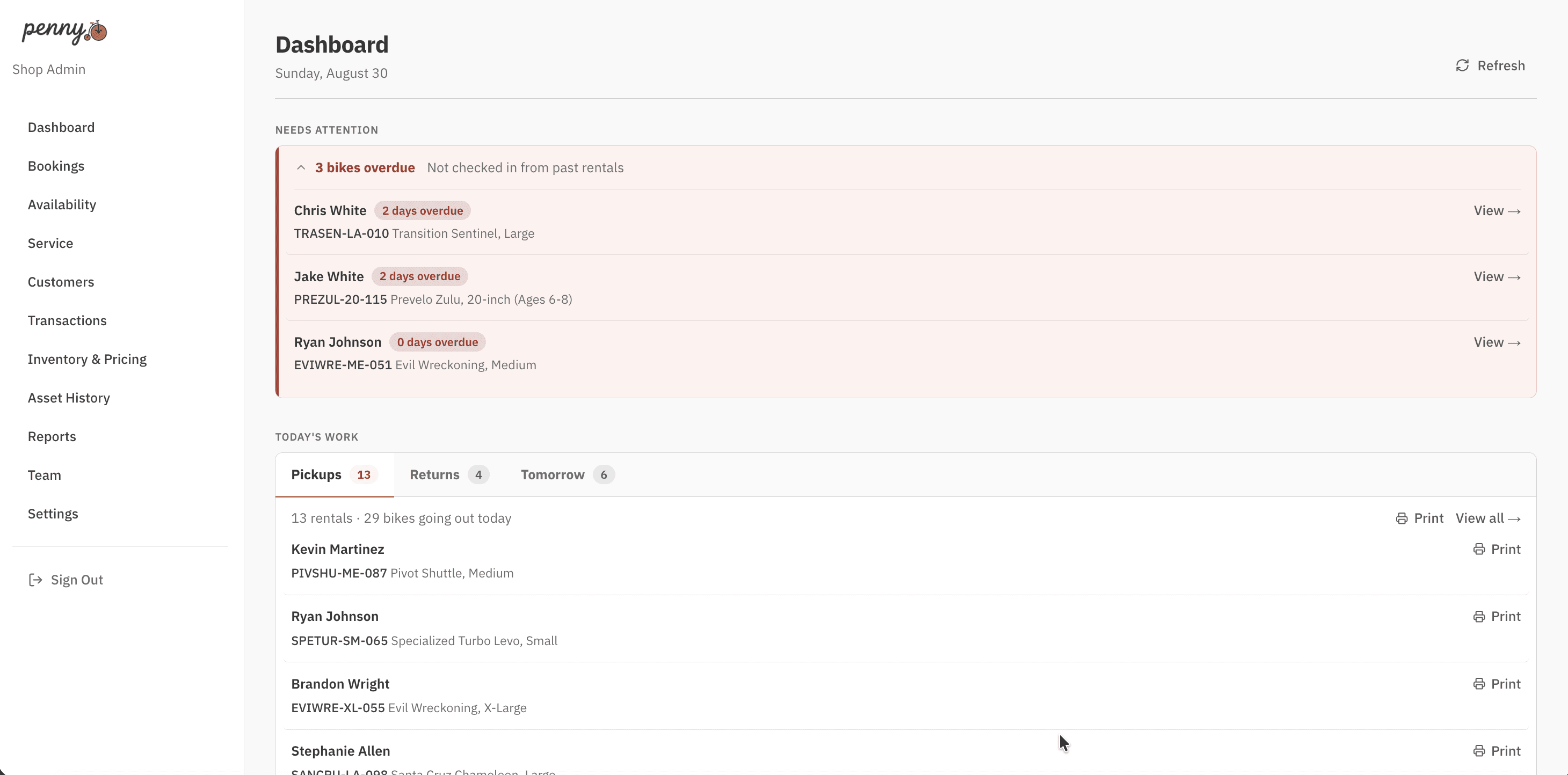
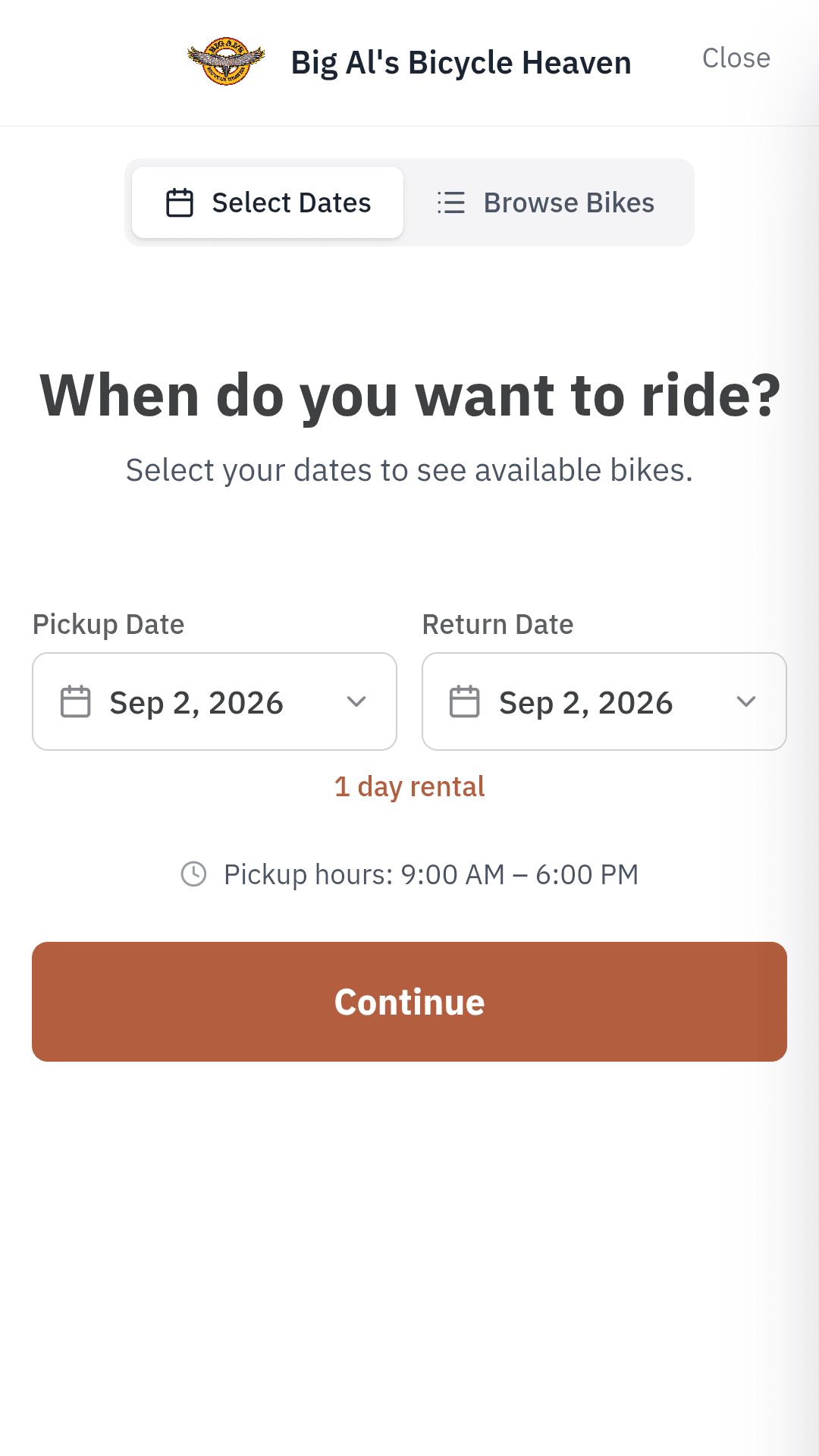
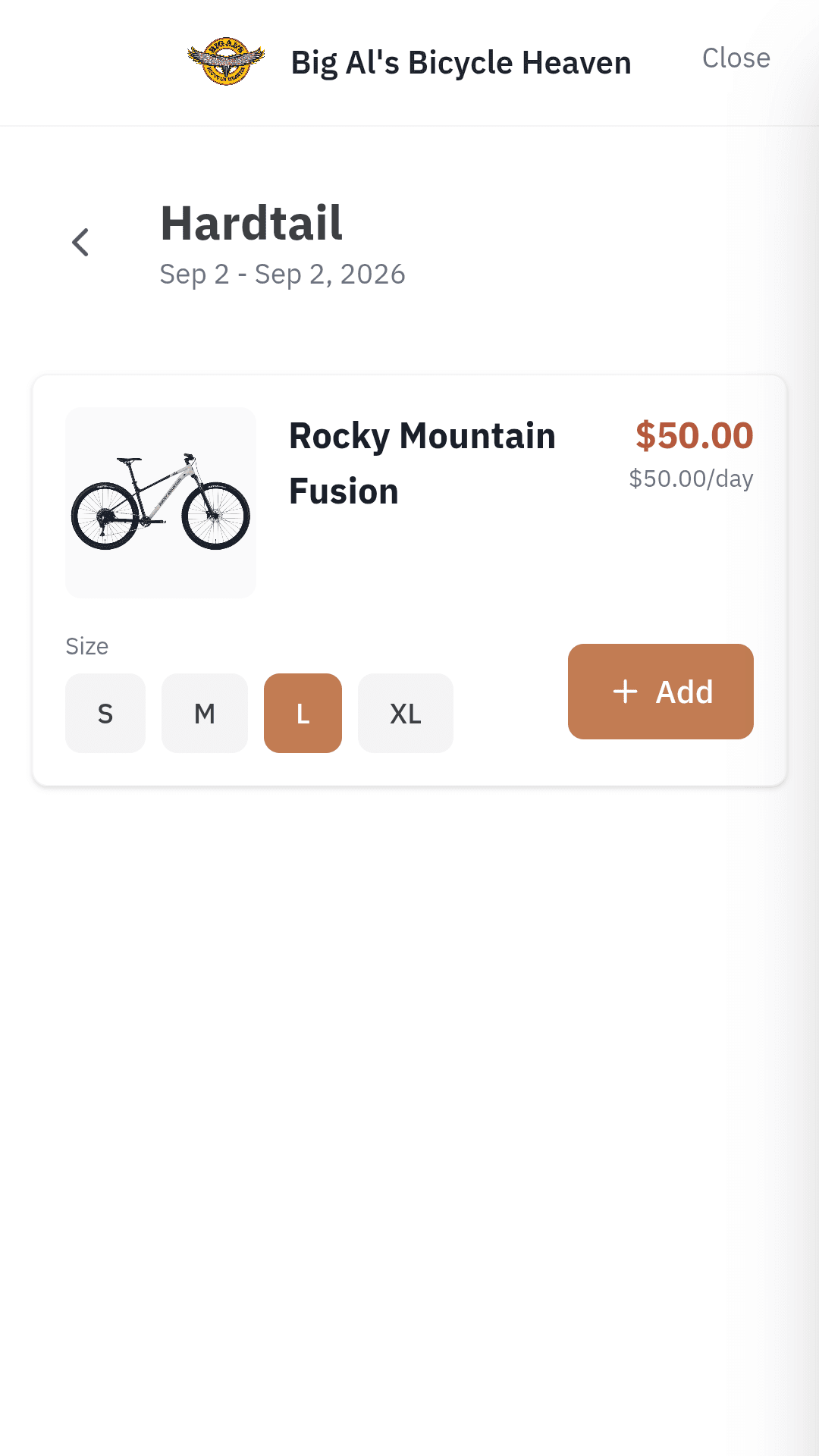
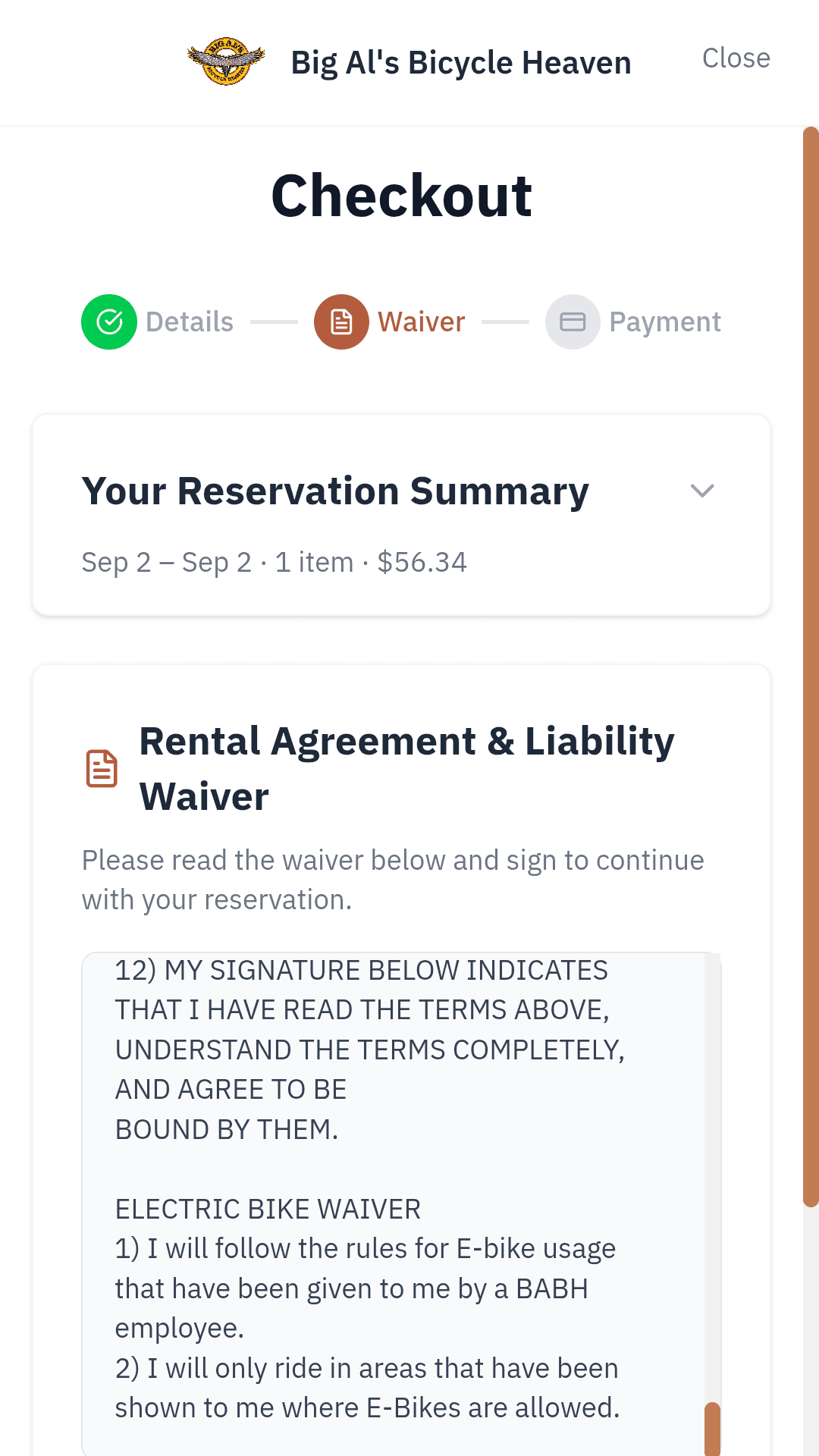
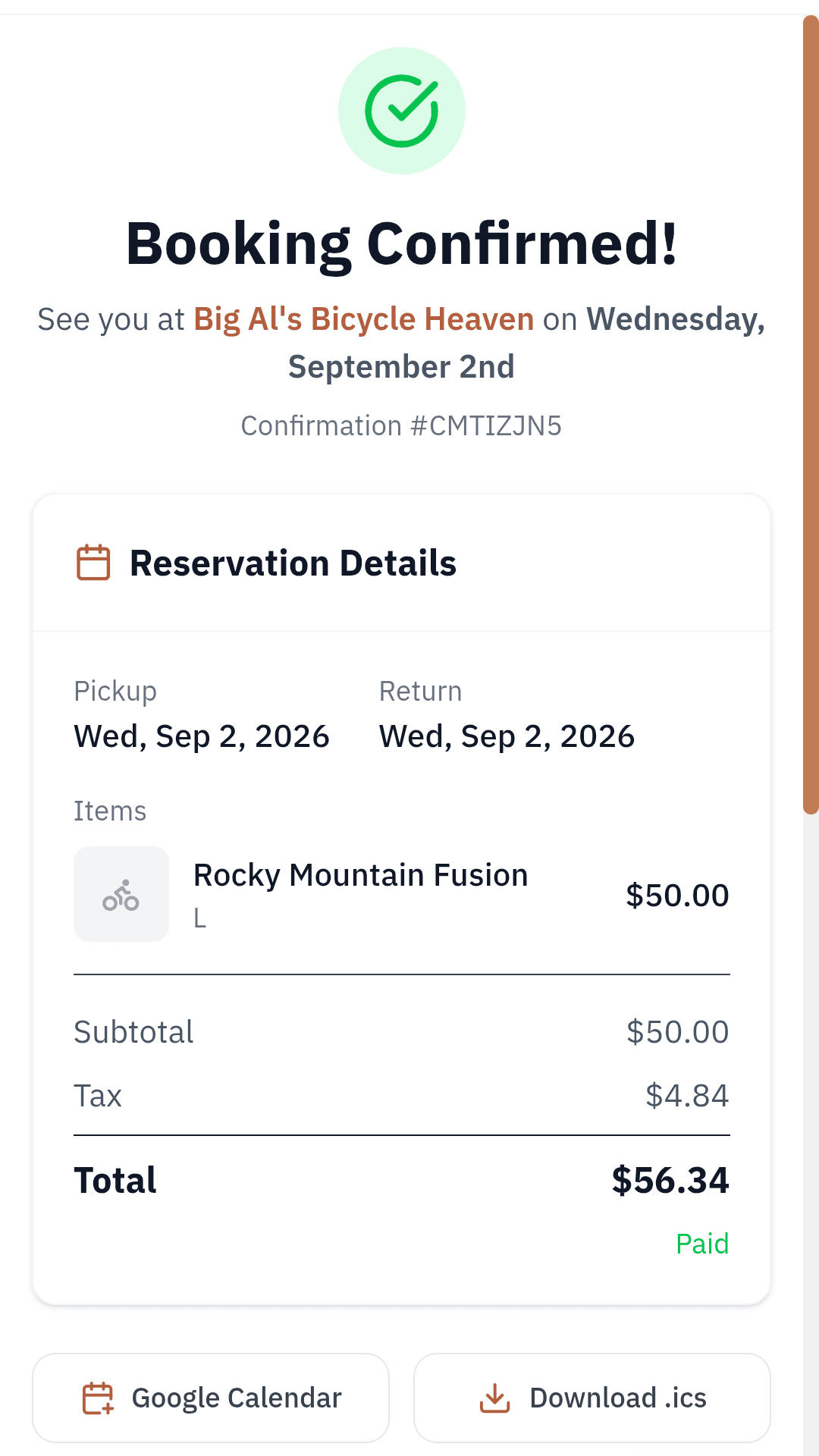
Dates first, so the only bikes they ever see are the ones actually free that week.
One Saturday, start to finish.
Six moments from a normal rental day, and what the software is doing at each one.
- 08:00
Before the doors open
What's going out today, what's due back, and what tomorrow looks like — three lists, before you've unlocked the door. You know what to expect, and the bikes going out are already prepped from yesterday afternoon.
- 09:15
Bikes go out
Customers pick up the bikes you prepped last night. Set the saddle height, hand them a helmet, point them at the trailhead, send them off. The waiver was signed at booking and the card already ran.
- 13:30
The walk-in
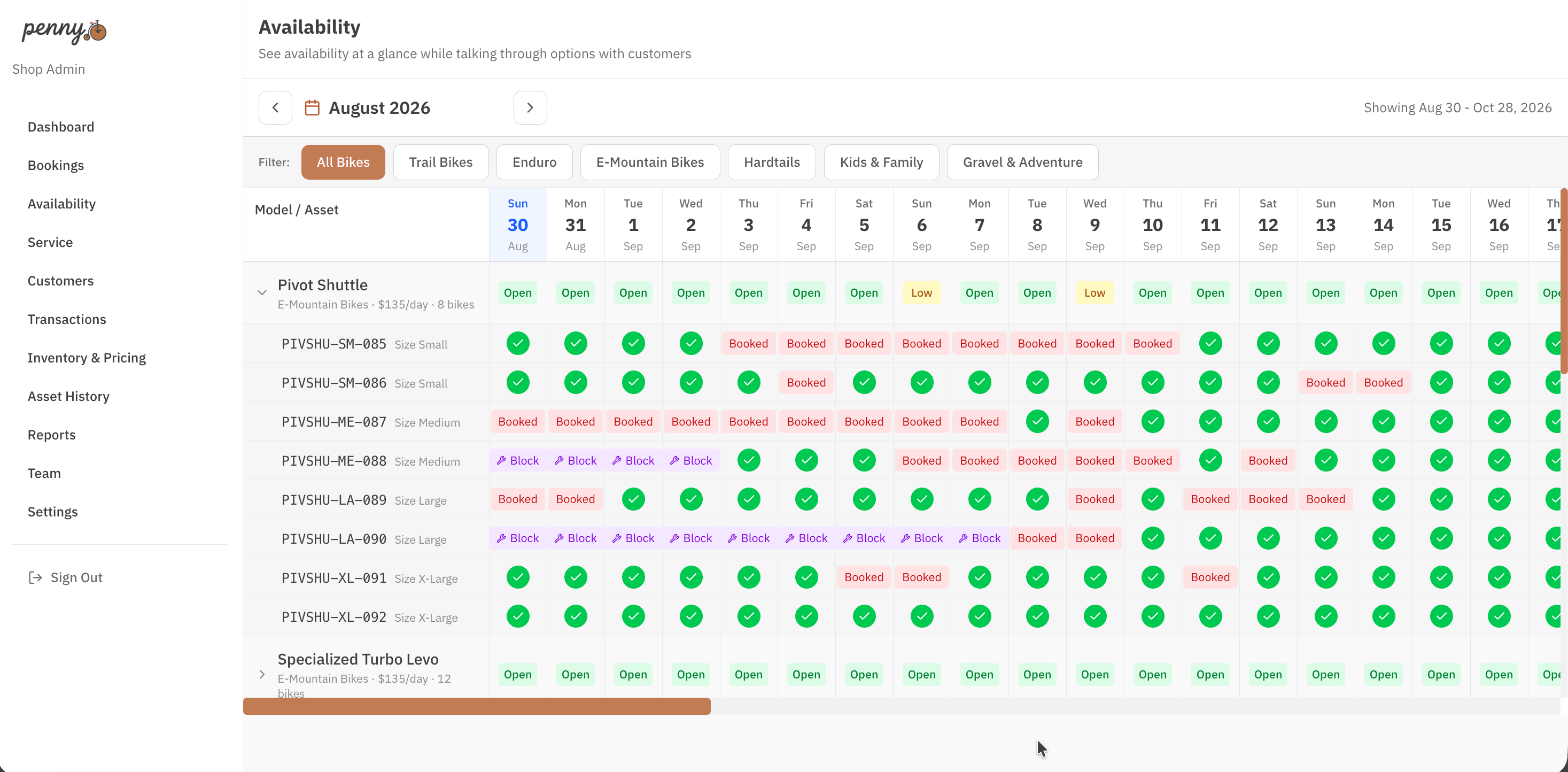
Someone walks in wanting an e-bike. Check the calendar, see what's actually free, book it on the spot and send them out. You can say yes without guessing.
- 16:00
Prepping tomorrow
Rider height and weight come in with the booking, not at the counter. Print tomorrow's setup tickets and the afternoon lull is when those bikes get their suspension set up and the customer's chosen pedals put on — so tomorrow morning is just handing them over.
- 16:30
Chasing what's late
Bikes are due back at four. At half past, the ones that aren't back are already listed with the renter's phone number, so you can start calling — while it's still today, and while there's still time to sort it out before that bike goes out again tomorrow.
- 17:30
Closing up
A bike comes back with the brakes gone soft. Flag it, and the work order is waiting in Lightspeed for the mechanic tomorrow.
The bike is ready before they get there.
Rider height, weight and pedal choice come in with the booking. Pull up tomorrow’s list, print a setup ticket for each bike, and the bench has what it needs — no one has to ask the customer twice.
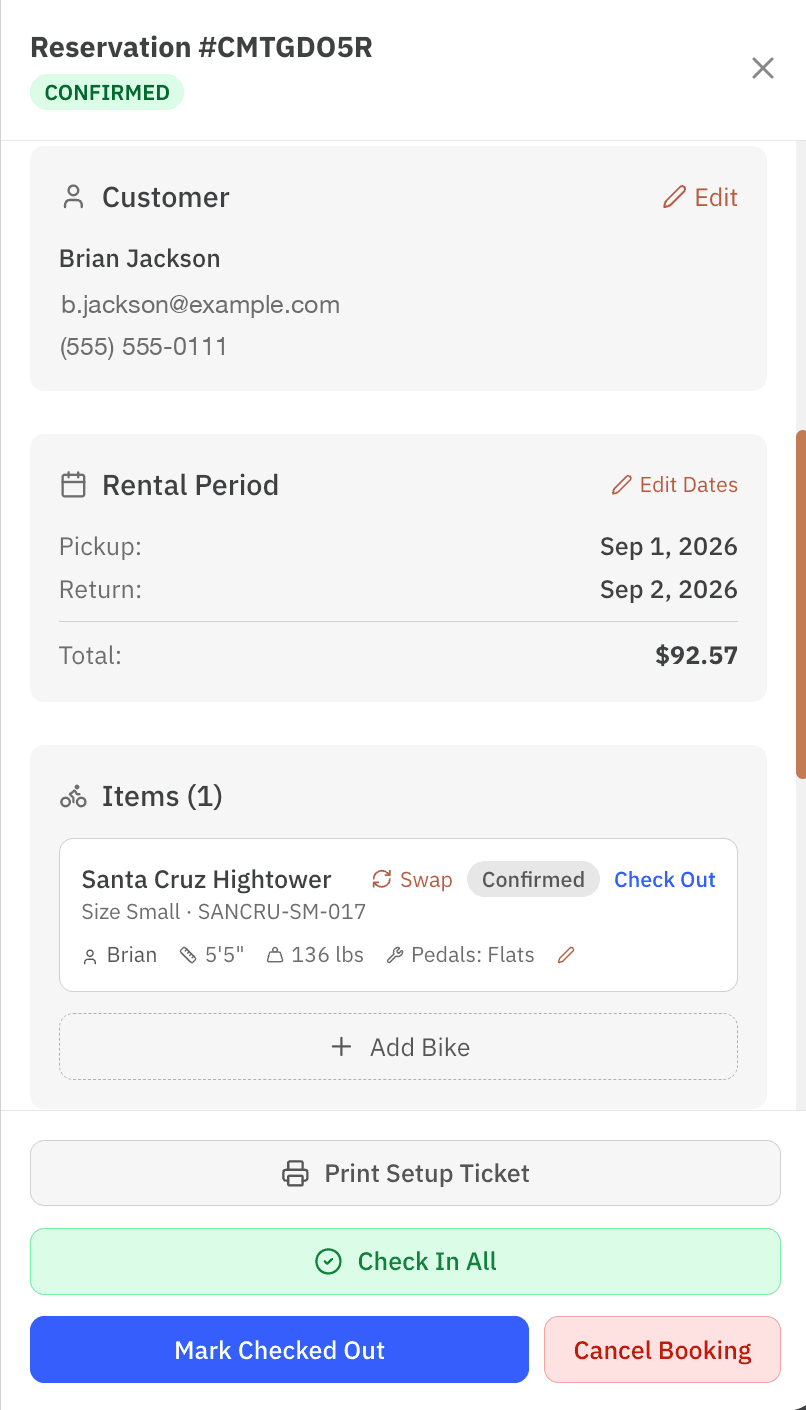
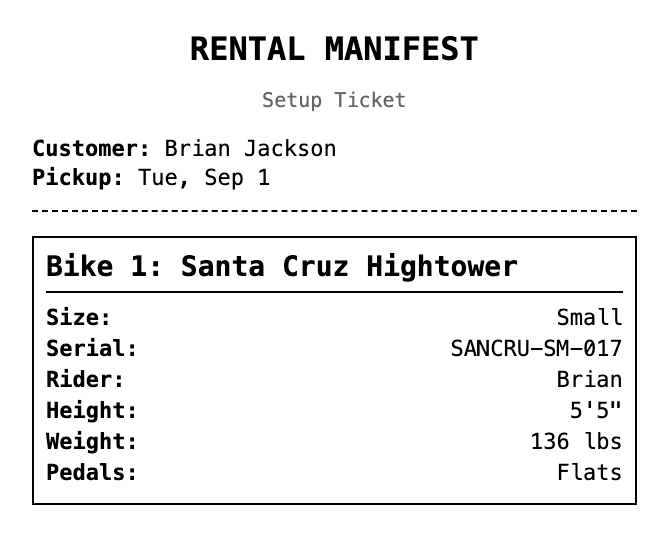
Height and weight are optional — turn them on if your fleet needs them, leave them off if it doesn’t.
Say yes without guessing.
Every bike you own, on one grid, for whatever stretch of dates you need — this afternoon, or a group booking next July. When someone walks in asking for an e-bike, you already know the answer.
The part Penny takes over.
Most shops we talk to already have a system that works. Usually that’s a whiteboard, a spreadsheet, and someone who remembers everything — sometimes it’s another rental platform. Either way, these are the jobs Penny does better.
| The job | However you do it now | With Penny |
|---|---|---|
| Not renting the same bike twice | Someone has to check before every booking | The bike is held the moment it's in a cart |
| Getting a broken bike to the mechanic | A note on the bike, or re-typed into your POS | Flag at check-in, work order appears in Lightspeed |
| Having a signed waiver when you need it | A binder, or a separate app to go digging in | Signed on their phone, filed to the reservation |
| Charging the right rate for a 5-day rental | Worked out by hand, or a rate table you fight with | Multi-day rates apply themselves |
| Setting up a bike for the person riding it | Adjusted at the counter, while they wait | Height and weight arrive with the booking, so it's done the day before |
| The Saturday 9am queue | Paperwork starts when the customer arrives | Waiver and payment are already done |
The rest of it.
A rental day is more than the six moments above. The ordinary things still have to work.
- Digital waivers
- Signed on any device, filed against the reservation, and still there when you need to find one.
- Damage waivers
- Optional protection, added at checkout.
- Promo codes
- For locals, groups, or a slow week in October.
- Multi-day rates
- A 5-day rental prices itself.
- Deposits and payments
- Take a deposit, the full amount, or keep a card on file for walk-ups. Stripe handles it.
- Add-ons
- Helmets, pedals, racks, shuttles — whatever your shop rents alongside a bike.
- Customer history
- Every past rental, what they rode, what size, and which waivers they've signed.
- Lightspeed work orders
- Flag a bike at check-in; the ticket is in your POS.
- Hours and closures
- Store hours, days you're shut, and how long a bike needs between rentals.
- Branded emails
- Confirmations, reminders and thank-yous that look like they came from your shop, not from us.
Want to try it?
Penny runs a real shop’s rentals today. I’m looking for a few more to run it next season — I’ll import your fleet, connect Lightspeed, and get the booking page onto your site with you.
Already using Penny? Sign in